


TLDR
A busy WooCommerce store fails at the database before the server. On one site, 400 PHP workers changed nothing and rewriting one query took checkout from 8 seconds to 1. Stores capped at 2 PHP workers drop up to 46% of requests. Here is the order things fail in, and the setup that holds.
The database, not the server. In four incidents on UK WooCommerce stores in the last year, the first thing to fail under a traffic spike was a query or a lock inside the order flow. On one of them we added a fourth container and 400 PHP workers and nothing improved. Rewriting one query took the checkout from eight seconds to one, and orders went from stuck to arriving by the second. Everything here comes from WooCommerce stores Nera Marketing builds and hosts, high-volume stores that sell out timed releases in minutes, where every visitor hits the same product and the same checkout at the same time. A drop, a live-stream sale, a TV mention and a big email send all produce the same shape of traffic, and the same failures.
What breaks first when traffic spikes on a WooCommerce store?
A busy WooCommerce store fails from the checkout backwards. The product page slows first, add to cart stalls, the redirect to payment times out, orders pile up in pending payment, and then the database locks. Customers see the first two. You see the last two, usually the next morning.
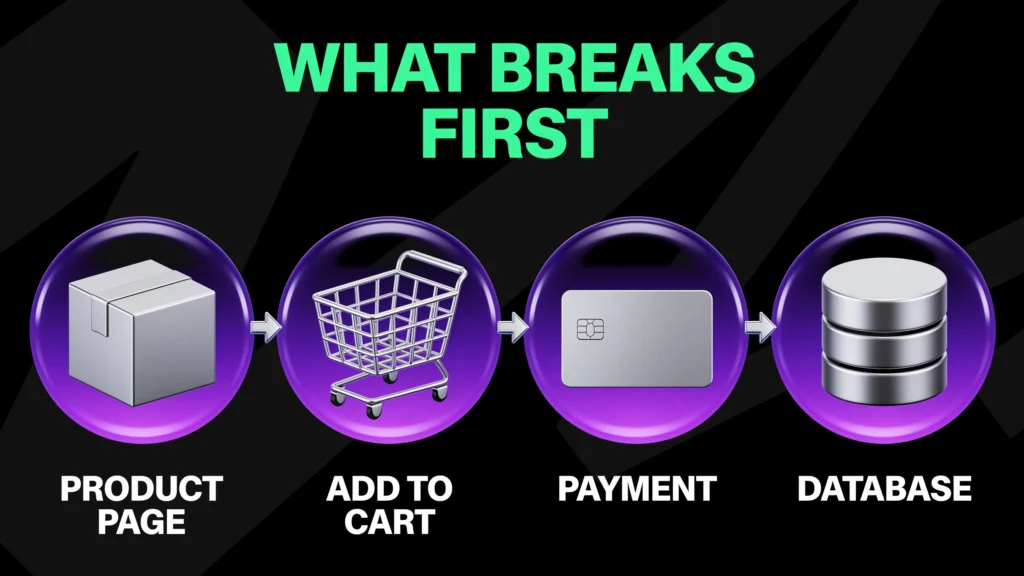
| Stage | What the customer sees | What is actually happening | What we measured |
|---|---|---|---|
| Product page | Slow to load, or a stock count that is wrong | A cache miss under load, or a cache serving an old copy | A stock count two weeks out of date on a live product page |
| Add to cart | 15 to 30 seconds, sometimes an empty cart | Session writes and cart fragments queuing behind slower requests | 15 to 30 seconds on a site taking 55,000 requests a minute |
| Redirect to payment | Over 30 seconds, then a blank page | Order creation and stock writes running before the redirect fires | 42 orders left in pending payment in one morning |
| Confirmation | Nothing arrives | The confirmation email is queued, or failing quietly | A day of sales that looked like zero |
| Database | All of the above at once | One query holding locks while everything else waits | One query at 8 seconds, another timing out on every execution |
The advice you find when you search for this is about page speed: a caching plugin, image compression, minified CSS, a faster theme. We read the seven pages that rank for speeding up WooCommerce before writing this. Between them they mention PHP workers zero times, concurrency zero times and load testing zero times. Page speed is what one visitor experiences on a quiet afternoon. WooCommerce performance under load is what fifty buyers experience in the same second. The first is a fine thing to fix. It has nothing to do with what fails when 13,500 people arrive in the same minute.
Why does adding server capacity not fix a slow checkout?
Because more servers fix a resource problem, and a spike on a WooCommerce store is usually a code path problem. It shows up as flat CPU graphs next to a dead checkout. On the site that taught us this, four containers and 400 PHP workers sat under a gigabyte of use each while orders stalled.
The site was a WooCommerce store we were managing on behalf of the client, on the final day of a seven-week timed sale. The first text message went to 13,500 subscribers at 09:20. Inside a minute the site went from 2,000 requests a minute to 55,000. A memory alert fired, customers saw 502 errors, and all three containers were exhausted. We added a fourth container just after 14:00. That took the site to 16 GB of RAM and 400 PHP workers. It was still slow. Add to cart took 15 to 30 seconds, the redirect to payment took over 30, and a single one-unit order on a quiet site took about two minutes end to end. The containers were using 700 to 800 MB each. Resources were never the problem.
So we went into the database. One query was running again and again and taking a few seconds every time. It belonged to a third-party plugin that allocates a serial number to every unit sold, and it looked up every unit a customer had already bought in that sale by joining the posts table to the postmeta table, on every order. Eight seconds each. We rewrote it at 21:18. One second. Database load dropped at once, orders came in by the second, and the pending-payment count fell because the redirect was fast enough for people to wait for. The client’s message that night was that the order process was the quickest it had been in seven weeks, at the highest load the site had seen.
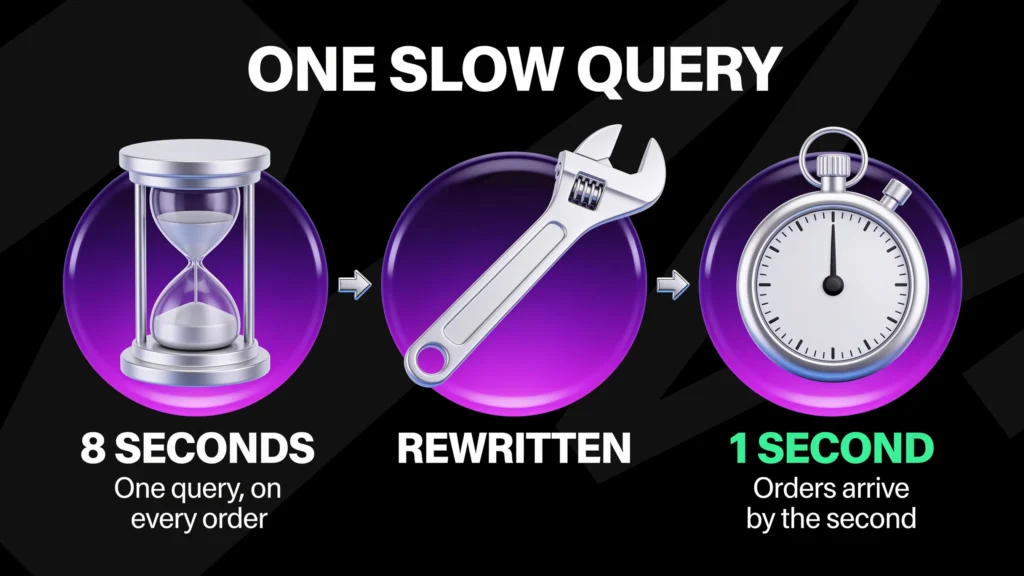
Two things transfer to any store. First, when the resource graphs are flat and the checkout is dead, stop buying servers and start reading queries. Second, the query was in someone else’s code. Most WooCommerce stores run a dozen plugins that write to postmeta and read it back with a key and value lookup, and that pattern turns into a full table scan once the table is large. WooCommerce moved its own order data out of postmeta and into dedicated order tables for exactly this reason. The plugins on your store have not necessarily followed. Our WooCommerce development team reads the slow query log before touching the hosting plan, because the log is where the answer usually is.
What if the flood is coming from your own site?
Sometimes the traffic that takes a store down is its own. On one store, intermittent slowness traced to the caching plugin’s preload feature, which crawls the site to warm the cache and was flooding the server with its own requests. Switching preload off and taking the store from 2 to 4 PHP workers stabilised it.
Preload is useful after a deploy and dangerous during a sale, because it competes with customers for the same workers at the moment they are scarcest. Warm the cache before the campaign starts, then turn the crawler off. The same applies to anything that walks the site on a schedule: sitemap generators, image optimisers, security scanners and search indexers all belong in a quiet hour.
How many PHP workers does a WooCommerce store need?
Enough for the busiest ten minutes of the month, and that number is higher than the average suggests. Across the WooCommerce stores on Nera Cloud, the site with 10 PHP workers averaged a daily peak of 8.7 and hit its ceiling at every sale close. Sites capped at 2 workers dropped between 31% and 46% of their PHP requests.
A PHP worker handles one request at a time. A cached product page never reaches a worker. A checkout always does, and a checkout that writes an order, allocates stock and fires three tracking calls can hold a worker for several seconds. When every worker is busy, the next request queues, and when the queue is long enough the customer gets a 502. That is why a store can serve a thousand browsers comfortably and fall over at fifty buyers, and why scaling WooCommerce is a checkout problem before it is a hosting problem.
| PHP workers | What we measured | Outcome |
|---|---|---|
| 2 | 31% to 46% of PHP requests rate limited over 30 days | Checkout errors on any busy hour |
| 10 | Daily peak averaged 8.7, ceiling hit at every sale close | Fine on an ordinary day, queuing at the moments that matter |
| 80 | LR Luxe Competitions, on its own 16 GB, 8-core server since September 2026 | Hundreds of orders in the same minute during a TikTok Live |
The sizing rule we use is 10 to 12 workers of burst capacity per store and 4 to 6 sustained, set for the peak rather than the average. LR Luxe Competitions is the clearest case. Its TikTok Lives put hundreds of orders into a single minute, the site served over 650,000 requests in one seven-day window, and the move from 10 workers to 80 on a dedicated server is what let checkout keep pace with the live.
How do you load test a WooCommerce store properly?
Through the checkout, with real basket sizes, on a copy of the live site. A load test that does not place orders is a page speed test with extra steps. Our first script sent 150 virtual users across 19 products with the quantity hardcoded to one. It passed. The store still fell over at the next sale close.
We use k6 for this. The first script was a reasonable piece of work: an 80/20 split of browsers to buyers, six stages from baseline through a ten-minute spike hold, 150 concurrent virtual users at peak with about 30 simultaneous checkouts, the Cheque gateway so no real charges went through. It was wrong in two ways that matter. Quantity one is not a real order on a store that sells in volume, where 10, 50 and 500 units in one basket are normal, and 150 users spread over 19 products is roughly eight per product, which is a quiet Tuesday. The rewrite put every virtual user through the checkout step, because that is where the plugin writes the serial numbers and their metadata, and that is where the time goes.
The results were the useful part. The same test passed in full on a clean staging copy and on a lightly loaded store, and passed 70% to 80% of the time on the live store with its 21 plugins. That 20% to 30% gap was the plugin stack, and no amount of testing on a clean build would have found it. Run the test on a copy of the live site with every plugin active. If the WooCommerce checkout is slow at 30 concurrent buyers on that copy, no caching plugin will change it.
| Metric | Target | Measured before the fix |
|---|---|---|
| Checkout submit, p95 | Under 1 second, under 1% errors, at 150 to 250 concurrent checkouts held for ten minutes | 27 to 51 seconds, median 15 to 27 seconds, at 400 to 500 users |
| Product page, p95 | Under 500 ms with over 95% cache hit | Under 100 ms cached, 15 to 30 seconds when the cache was bypassed |
| Order-pay redirect, p95 | Under 2 seconds | Up to 32 seconds |
| Sustained order rate | 20 to 30 orders a minute minimum, 70 a minute at the close | Orders stalled at the redirect until the query was rewritten |
One more number from the same site. A pre-launch test at 150 users returned zero errors across 2,374 requests, with an average response of 4.82 seconds and a 95th percentile of 9.13. It passed every check and it was slow. A test that only counts errors will pass a store that loses half its buyers to impatience. Set the response time target before you run it.
Why does the checkout fail before anything else?
Because every other page reads and the checkout writes: the order, the stock allocation, the customer record, the metadata, the email queue. Under load the writes collide. That is where we found a 150-unit ceiling, a 30-minute order, a race that produced duplicate units, and a queue of customers waiting for the same serial number.
What happens when one order has hundreds of units?
The checkout request times out. On the WooCommerce stores Nera Marketing builds, serial numbers used to be written inside the checkout request, one unit and its metadata at a time, and above roughly 150 units in a single order the request failed.
We moved generation to an asynchronous queue, the same pattern WooCommerce itself uses through Action Scheduler, so the order confirms first and the units are written in the background. That took the ceiling to 1,500 to 2,000 units per order. It also taught us that a queue moves capacity rather than creating it: on the tenth consecutive large order in a test, the queue took 30 minutes to catch up. The target we are now building to is 100 to 200 simultaneous buyers at that basket size, which means changing how the plugin stores each unit rather than adding more queue.
What happens when a buyer presses the button twice?
The store writes the order twice and nobody notices. On one store, during a busy giveaway, buyers whose checkout was slow pressed the button twice.
Two requests for the same order arrived close enough together that both asked “have I already written the units for this order”, both heard no, and both wrote. One order, two sets of units. The second set was invisible to the customer, and a promotional reward attached to a random unit landed on it, so three paying customers won a reward and were never told. The fix is a lock: the moment one request starts writing units for an order it holds a marker the second request has to wait behind. A check and a write have to be one step. Any store with a stock decrement, a voucher table or an order number sequence has the same exposure, and only finds out when the site is slow.
Why do sequential serial numbers create a queue?
Because every order has to wait for the one before it. LR Luxe allocates serial numbers sequentially, because its customers want them that way.
During a TikTok Live, every concurrent order was waiting for the next number in the sequence, one behind the other. Random allocation draws from the whole range and nobody waits. The same principle applies to any single hot row: a global stock counter, a next-order-number field, a single voucher pool. One row that every order must update is a lock with a queue behind it, and the queue is your customers.
Why do orders pile up in pending payment?
Because the redirect to the payment page was too slow for people to wait for. On the store above, 42 orders sat in pending payment by mid-morning while the hand-off to the hosted payment page took over 30 seconds. Each one was a customer who tried to pay and gave up.
A pending order is also a stock hold. On a store that reserves stock at checkout, every abandoned attempt keeps a unit out of everyone else’s basket until the hold expires, so a slow redirect empties the shelf without selling anything. One store cut its basket hold time from 60 minutes on customer feedback. The redirect itself is a hand-off you do not control. What you do control is everything that runs before it: the order write, the stock hold and the tracking calls. Move the tracking after the order and the redirect fires seconds earlier.
Why does the cart come back empty?
Because the session that held it was lost between pages. In one load test on a staging copy, the two most common failures were not error pages: 32 carts arrived at checkout empty and 23 checkouts loaded with no payment methods available. Two more were HTTP 500s and one was a 502.
Some of that was the test setup. All of it is what a customer sees when a session write races a page load or a gateway call times out under load, and the store returns an empty list instead of an error. Both look like a broken shop to the buyer and like nothing at all in the server graphs, which is why they belong in a load test’s pass criteria and not only in its error count.
Is WP-Cron good enough for a busy store?
No. WP-Cron runs when a visitor loads a page. Under no traffic it never runs. Under heavy traffic it runs on every request and competes with the checkout. A real server cron at one-minute intervals is the fix, and it is the first thing we change on any store that runs timed mechanics.
WordPress’s own documentation is clear that WP-Cron is triggered by page loads and recommends hooking it into the system scheduler on any site where timing matters. On a store, timing matters more than the documentation lets on. Scheduled releases, timed reveals, the asynchronous queue above, abandoned cart emails, subscription renewals and the order confirmation email itself all sit on that scheduler. On the same store a pre-launch failure traced back to WP-Cron having been disabled with nothing replacing it. Once a server cron was in place the mechanics ran, and a single ten-unit order still took eight seconds to redirect to payment, which is how we knew the cron was one problem of two.
Interval matters as much as existence. Some platforms cap server cron at five minutes. A five-minute cron means a queued job or a timed reveal can wait five minutes, and in a last hour that sells half the stock, five minutes is the whole sale. We run one-minute server cron with WP-Cron disabled, and we raise the PHP execution limit to 600 seconds, 3,600 on the busiest stores, so a queued job that starts is allowed to finish.
Why does a cached store show the wrong stock count?
Because full page caching is the reason a store survives a spike and the reason it shows the wrong number. On the same store the product page showed a stock count two weeks old to anyone who had visited before. The rule is simple: cache the page, never cache the counter.
Which parts of a page should never be cached?
Anything that changes per order: a stock figure, a units-remaining counter, a countdown, a price that moves with volume. Load it by a short-lived fragment or an AJAX call with a time to live measured in seconds, and let the page around it live for hours.
Why does a text message campaign bypass the cache?
Because the links carry tracking parameters. Email and SMS platforms shorten links and append them, a query string bypasses the page cache, and a text to 13,500 people becomes 13,500 uncached requests to the same product page. Either strip the tracking parameters at the edge or configure the cache to ignore them.
Why does logged-in traffic hurt under load?
Because it bypasses the cache and every request reaches PHP. On the final day of that campaign there were more logins to the account page than hits on the homepage, because customers were checking their order numbers before the close.
Every one of those was an uncached PHP request competing with a buyer. And WooCommerce’s logging had been left at its most detailed level on a live store, writing on every request. We switched it off that evening. Turn it on when you are diagnosing something, and off when you are not.
What does a WooCommerce store need from its hosting to survive a spike?
A server sized for the busiest ten minutes of the month, a PHP pool that scales, a real cron and an object cache. Nera Cloud, the managed hosting Nera Marketing runs, is configured that way. A heavy store taking payments gets its own server, and every setting below is set by hand, verified over SSH and re-checked after every OS upgrade.
| Setting | Typical default | Nera Cloud | Why |
|---|---|---|---|
| Server per store | Shared | Own server for a heavy store taking payments. At most three other live stores on a shared one | One runaway query cannot starve its neighbours |
| PHP-FPM pool | Static, around 10 | Dynamic, up to 80 children per application, recycled every 500 requests | Workers scale to the spike and do not leak |
| Cron | WP-Cron on page load | One-minute server cron, WP-Cron disabled | Queues and timed mechanics run on time |
| Object cache | None | Redis with a persistent object cache | Repeated queries are served from memory |
| Memory and execution time | 128 MB, 30 seconds | 768 MB to 1 GB, 600 to 3,600 seconds | Queued jobs finish instead of dying at the limit |
| Database connections | Default | MariaDB at 500 connections | Concurrent checkouts do not wait for a connection |
| Backups | Varies | Daily, off server, two weeks retained | A restore that does not depend on the server that failed |
| Alarms | None | Disk at 70%, CPU and RAM at 80% | We hear about it before the customer does |
| Change control | Automatic plugin updates | Updates paused for the length of a campaign | An automatic update on the busiest day of a campaign once stalled every order in processing |
The PHP-FPM line is the one most stores never see. The pool manager setting is documented and rarely exposed in a hosting panel, which means most stores run whatever their host set on the day and never find out what it was. We set it, verify the pool file directly, and put a note in the server record that an OS upgrade resets it.
Nera Cloud starts at £99 a month. A store expecting a campaign spike sits on the £199 tier, sized to the volumes it gives us, and if a promotional push takes traffic above that level we scale the server up. This is what WooCommerce development means when the store is live: the plugin queue, the cron, the pool size and the query log are one job, and the person who wrote the checkout is the person watching it.
Which failures does nobody see until sales stop?
The ones that do not show an error. Sales that stopped were emails that stopped. A query that timed out on every execution ran for weeks before it took the site down. Watching the checkout rather than the homepage is how you find out first.
How can sales stop without an error?
When the confirmation emails stop and the orders do not. Twice this year, on two different stores, an owner wrote to us to say sales had stopped after a change to the site. Orders were fine both times.
The confirmation emails to the owner were failing, and an owner who gets no emails sees no sales. Transactional email needs its own delivery channel and its own monitoring, separate from the marketing platform and separate from the website.
How long can a failing query run before it takes the site down?
Weeks. On another store a third-party plugin was running a pattern match against a serialised field nearly 28,000 characters long. It timed out on every execution.
Each timeout held a lock, the locks made concurrent checkouts queue, and the site stayed up for weeks in that state until a PHP process hit its 768 MB memory limit and took it down. Nobody notices a failing query while the pages still load. The fix was the query, then the alarms that would have caught it the first week.
What happens when the disk fills?
The site goes down with the CPU at zero. One shared server filled its disk on 2 September. Nothing in the CPU or memory graphs predicted it, because logs, cache files and backups kept on the same volume all grow fastest on the busiest days.
Every Nera Cloud server now carries a disk alarm at 70%, backups go off the server, and logging stays off unless someone is diagnosing. A full disk is the one failure no number of PHP workers can help with.
What happens when something updates in the middle of a sale?
Orders stop completing and nobody gets an error. On the final day of one campaign an automatic plugin update ran on the store, deactivated a plugin the checkout depended on, and every new order stalled in processing instead of completing. A member of the store’s own team spotted it and reversed it by hand.
Updates are necessary and their timing is a choice. On Nera Cloud, plugin updates are paused for the length of a campaign and run on a quiet day with a load test after them, because the plugin that changes is usually the one the checkout runs through.
What should you watch during a sale?
The order count, the pending-payment count and the email delivery rate, by a person, for the hour that matters.
On a store in its first week, with a promotion running, the site went down one morning and came back in eleven minutes after a server cache was cleared. That afternoon carts started showing empty and items would not remove. The owner looked at the orders hours later, and the last sale was hours old. Meatbox Family had the version of this that ends well: 300 to 400 people on a live, 200 to 300 on the site at once, and the site fell over during a giveaway because the hosting had been sized before there was any real traffic to size it from. Two weeks later, after the server was rebuilt for the peak and the entry pages were cached, the next live held and the only slowdown was the email to every customer when the sale closed.
What Nera Marketing watches during a campaign is a short list: orders per minute against the plan, the pending-payment count, PHP worker saturation, the slow query log, and email delivery rate. A store that expects 70 orders a minute in its last hour needs a person watching the order count for that hour. The CPU graph will look fine right up until the moment it does not matter.
Ready to build your competition website?
Join hundreds of operators running prize draws with NERA's platform.
Talk to us →