
TLDR
WooCommerce suits most mid-market UK retailers: the software is free, managed hosting starts at about £19 to £49 a month, and one store Nera Marketing builds or hosts runs a catalogue of more than 2,900 items. Magento, sold as Adobe Commerce, suits complex trade buying and many storefronts, with B2B features under a separate paid licence.
For most mid-market UK retailers, WooCommerce is the better choice. The software is free, managed hosting starts at about £19 to £49 a month, and it runs catalogues of more than 2,900 items and sudden traffic spikes when the server and the code are set up for them. Magento, now sold as Adobe Commerce, suits retailers with complex trade buying or many storefronts run from one system, and the team to look after it. The WooCommerce evidence below comes from stores Nera Marketing builds, hosts or looks after. Nera does not build on Magento, so every Magento fact here comes from Adobe’s own documentation.
Which suits a mid-market UK store, WooCommerce or Magento?
WooCommerce suits a store that wants low running costs, a wide choice of developers and full ownership of its code. Magento suits a store whose trade buying rules or number of storefronts need a platform built around them, and which can fund a team to run it. Adobe gives each Adobe Commerce release three years of standard support, so a Magento store also plans for an upgrade every few years.
Five questions decide it for most retailers:
- How many products, and how complex are they? On the stores described here, WooCommerce runs a catalogue of more than 2,900 items and fully configurable products. Size alone rarely forces a move to Magento.
- Do you sell to trade buyers with company accounts? Simple trade prices work on WooCommerce. Company accounts with purchase approvals and requisition lists are an Adobe Commerce feature under a separate paid licence.
- How many storefronts? Two or three work well as separate WooCommerce stores. Many storefronts sharing one catalogue and one admin is what Magento’s store structure is built for.
- Who will maintain it? WooCommerce developers work in WordPress and PHP. Magento needs developers who know its own framework.
- What can you spend each year? The gap is mostly licence, hosting and development time, set out below.
If the choice is between WooCommerce and a hosted platform instead, the comparison of Shopify or WooCommerce covers that decision.
WooCommerce and Magento side by side
The platforms differ most on licence cost, the server software they need, B2B features and support periods. This table compares WooCommerce with both editions of Magento, using each vendor’s published information as of November 2026.
| WooCommerce | Magento Open Source | Adobe Commerce | |
|---|---|---|---|
| Software cost | Free (GPLv3 licence) | Free (OSL 3.0 and AFL 3.0 licences) | Paid licence, price on request from Adobe |
| Server software (latest release) | PHP 7.4 minimum, 8.3 recommended; MySQL or MariaDB | PHP 8.5, OpenSearch 3, MySQL 8.4 or MariaDB 12.3, Valkey 9, Varnish 8, RabbitMQ 4.3, nginx 1.30 and more (version 2.4.9) | The same, or Adobe’s cloud editions |
| Managed hosting for a mid-market store | From about £19 to £49 a month upwards | Not published | Adobe’s cloud editions, price on request |
| Company accounts, purchase approvals, requisition lists | Built for the store, or with plugins | Not included | B2B extension, under a separate licence |
| Content staging and customer segments | With plugins | Not included | Included |
| Several storefronts | Separate stores, or WordPress multisite | Websites, stores and store views in one installation | Websites, stores and store views in one installation |
| Release support | Continuous updates | No separate support dates published by Adobe | Three years of standard support per release |
| Who owns the code | The store owner | The store owner, under the open source licences | Licensed from Adobe |
What does each platform cost to run in a year?
WooCommerce costs the least to run, because the software is free and it runs on ordinary managed hosting. Managed hosting for an established WooCommerce store runs from about £19 to £49 a month upwards, which is £228 to £588 a year, before paid plugins and development time. The full breakdown, including extensions, payment fees and the ICO fee, is in what a WooCommerce store costs to run each year.
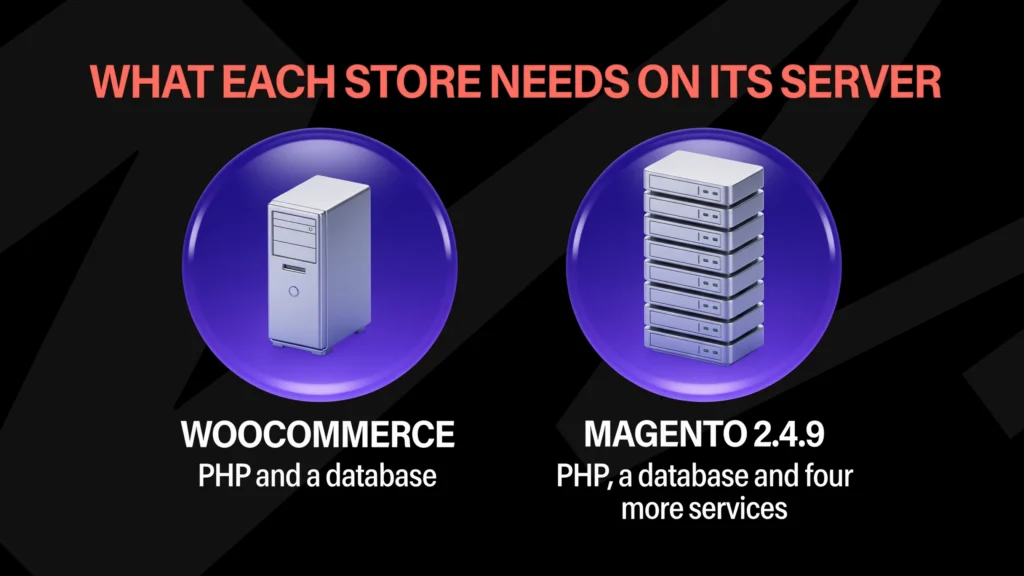
Magento Open Source is also free to download, but it needs more on the server. Adobe’s requirements for version 2.4.9 list OpenSearch, MySQL or MariaDB, Valkey, Varnish, nginx and a message broker such as RabbitMQ or ActiveMQ Artemis alongside PHP. Each is more software to host, monitor and update.
Adobe Commerce is a paid licence, and Adobe does not publish the price. Its UK pricing page lists three editions, each with a “Get pricing” button. Figures on third-party sites are often years old, so ask Adobe for a price before comparing totals.
Can WooCommerce handle a large catalogue and heavy traffic?
Yes. WooCommerce handles large catalogues and tens of thousands of requests a minute when the server has enough PHP workers and the database queries are fast. Everything here comes from WooCommerce stores Nera Marketing builds, hosts or looks after, from a catalogue of more than 2,900 items to high-volume stores that sell out timed releases in minutes, where every visitor hits the same product and the same checkout at the same time.
How big a catalogue can WooCommerce run?
Large catalogues run well on WooCommerce. One of those stores lists more than 2,900 items. Complexity matters as much as size. Alulux sells made-to-order doors: 34 of its 35 products are configurable, and the price updates as the customer chooses opening direction, frame colour, blinds and glazing.
What happens when traffic spikes?
The number of PHP workers and the slowest database query decide whether a store stays up. WooCommerce’s guide to choosing hosting suggests 5 to 10 dedicated PHP workers as a starting point. Before Nera Cloud’s current standard, stores capped at 2 PHP workers had 31% to 46% of their PHP requests turned away. Nera Cloud now gives each store 80 PHP workers, a Redis object cache and a one-minute server cron, and a busy store taking payments gets its own server.
More server is not always the answer. A text message to 13,500 subscribers took one store from 2,000 to 55,000 requests a minute. Nera Marketing managed that store but did not build it. Adding a fourth server container, taking it to 400 PHP workers, made no difference. One database query in a third-party plugin took 8 seconds, and rewriting it to take 1 second fixed the store. There is more on this in what breaks first when a store gets busy and what an established store needs from its hosting.
Trade pricing, B2B and more than one store
WooCommerce handles trade pricing and two or three stores well. Magento’s advantage is company accounts with several buyers and approval rules, which need Adobe Commerce and a separate B2B licence, and many storefronts sharing one admin.
Can WooCommerce do trade pricing?
Yes. A store on Nera Cloud links trade buyers to their own pricing route alongside its retail prices. On WooCommerce, a logged-in trade account can be shown its own prices, set with a plugin or a small amount of custom code. Adobe Commerce goes further. Its B2B features cover company accounts, purchase approvals, negotiated prices, requisition lists and payment on credit, and Adobe marks them as Adobe Commerce only, under a separate licence.
Should a second country be a second store?
Often, yes. One store on Nera Cloud runs a separate store for Ireland, with its own prices and shipping, beside its UK store. That is one of two routes covered in selling into Ireland from a UK WooCommerce store. Magento runs several sites from one installation instead: Adobe’s documentation says a single installation can have several websites, each with several stores and store views, and stores under the same website share the admin and the checkout. That pays off for a retailer with ten storefronts more than for one with two.
Who owns the store, and what do you keep if you leave?
On WooCommerce, the store owner owns the code, the data and the domain, and can move host or developer at any time. When a client leaves Nera Marketing, it takes the site, its source code, the full code history and any premium plugin licences, with no licence fee and no revenue share. Store data on Nera Cloud can be exported free of charge, and a missed payment leads to deletion only after at least 60 days, with written warnings.
Owning the code changes what a store can do. Hello Peptides owns its checkout, so it has a WhatsApp ordering route built in, and changing one value in the store’s code switches it to card checkout with nothing rebuilt. That is the case for owning your WooCommerce development rather than renting it.
Magento Open Source is released under two open source licences, OSL 3.0 and AFL 3.0, so a retailer can run and change the code. Adobe Commerce runs under a paid licence from Adobe, and the B2B extension needs a licence of its own.
How long is each version supported, and what do upgrades involve?
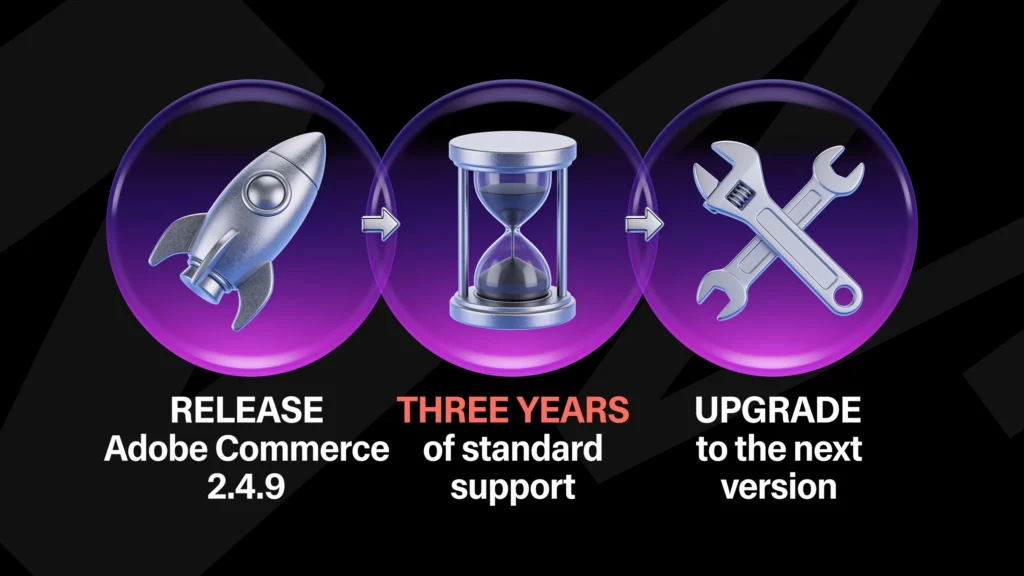
Adobe gives each Adobe Commerce release three years of standard support from its release date, according to its lifecycle policy. Adobe publishes no separate dates for Magento Open Source. Version 2.4.9 was released on 12 May 2026 and has standard support until 31 May 2029. Standard support for 2.4.6 ended on 11 August 2026. A Magento store therefore plans a version upgrade every few years, and each upgrade can raise the server requirements.
Magento 1 is past that point. Adobe’s final Magento 1 security bulletin said support for Magento Open Source 1 and Magento Commerce 1.14 was ending in June 2020, and no security patches from Adobe have followed.
WooCommerce and WordPress release updates continuously rather than in supported versions. The current WooCommerce release needs PHP 7.4 or later, and WooCommerce recommends PHP 8.3 or greater. The risk is an update that breaks a plugin, so updates belong on a staging copy of the store first. On Nera Cloud, staging copies and load tests are kept on a separate server from the live store.
When is Magento the better choice?
Magento is the better choice when trade buying or the number of storefronts is the core of the business and there is a team to run it. Adobe’s own documentation points to three cases:
- Company accounts and buyer approvals. Purchase approvals, requisition lists and payment on credit come with Adobe Commerce’s B2B extension, under a separate licence.
- Many storefronts from one installation. Websites, stores and store views let one installation run several sites, and stores under the same website share the admin and the checkout.
- Scheduled content and customer segments. Adobe marks content staging and customer segments as available only in Adobe Commerce, not in Magento Open Source.
A retailer already paying Magento developers also keeps the skills it has. If none of these applies, WooCommerce gives the same storefront for less running cost, on a plugin with more than 7 million active installs.
What does moving from Magento to WooCommerce involve?
Moving means exporting products, customers and orders, sending every old URL to its new address with a 301 redirect, and deciding how customers will log in. Google’s guidance on site moves says 301 redirects do not lose ranking signals, and that a medium-sized site can see rankings move for a few weeks or more.
What happens to Magento URLs?
The old and new stores rarely share the same addresses for products and categories. Every old URL needs a 301 redirect to its WooCommerce address, so that links, bookmarks and rankings carry across.
Can customers keep their passwords?
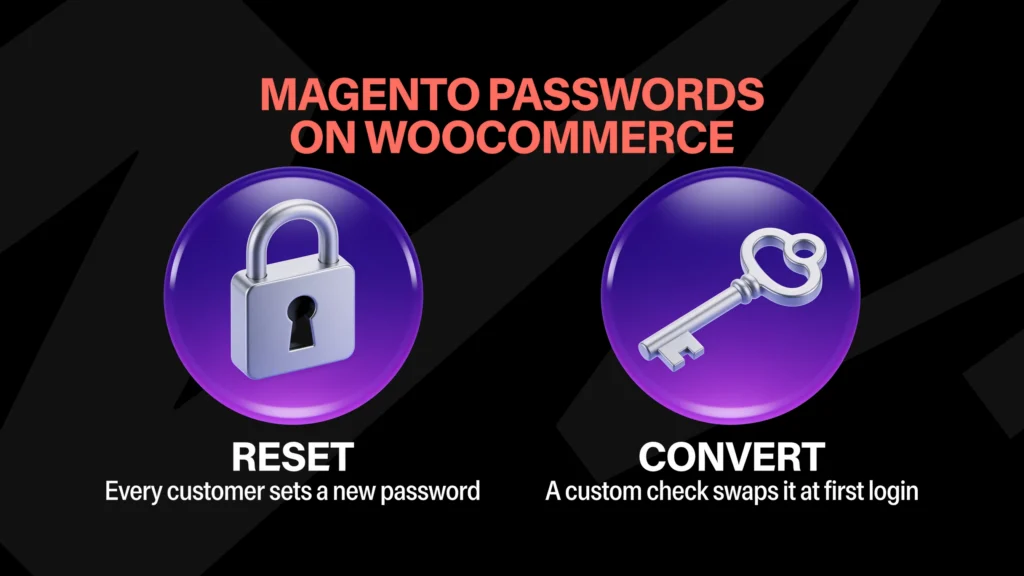
Not automatically. Magento 2 stores customer passwords as Argon2id hashes in its own format, with the salt and a version number. WordPress checks passwords its own way, and since WordPress 6.8 it saves new ones with bcrypt. WordPress allows its password check to be replaced by a plugin, so a custom check can accept the old Magento password once and save a WordPress hash in its place. The alternative is to ask every customer to reset their password after the move.
What order should the move happen in?
On Nera Cloud, a store moving in is tested on the new server first, the domain and DNS stay where they are until the switch, and customer data moves only on the owner’s written confirmation. In the first week, check that order emails reach the store owner. If they fail, sales look as if they have stopped while the orders are fine. Every step is set out in how to rebuild a store without losing customers, orders or rankings.
The redirects and the speed of the new store decide how quickly it is found again. Nera Marketing builds WooCommerce stores engineered to rank in Google and AI search, so they are found by customers already looking for what they sell.
Planning a WooCommerce build?
We design and build WooCommerce stores that turn more visitors into customers.
See WooCommerce development →