

TLDR
A WooCommerce store can be rebuilt without losing customers, orders or rankings if six things move in the right order: accounts, orders, the catalogue, web addresses, integrations and server settings. On the Rusboy rebuild, over 40,000 customer accounts moved with their passwords and customers logged in as normal. Customer data moves last, the domain switches last of all.
A WooCommerce store can be rebuilt without losing a customer account, an order or a ranking, as long as six things move in the right order: customer accounts, order history, the catalogue, web addresses, integrations and server settings. When Nera Marketing rebuilt the Rusboy store, every account from a customer base that had grown from under 2,000 to over 40,000 moved across with its password, and customers logged in to the new store as normal. Everything here comes from WooCommerce stores we build and host, high-volume stores that sell out timed releases in minutes, where a lost order or a dead link shows up the same day.
What has to move when a WooCommerce store is rebuilt or replatformed?
Six things move, and each one fails in its own way. Customer accounts fail as logins that stop working. Order history fails as missing records and broken refunds. The catalogue fails as wrong prices and stock. Web addresses fail as dead links and lost rankings. Integrations fail silently, and server settings fail on the first busy day.
| What moves | WooCommerce to WooCommerce | From another platform | Check after the switch |
|---|---|---|---|
| Customer accounts | Export the users and their data, import before launch. Passwords move with the accounts | Accounts import, passwords do not. Plan a password reset at launch | Log in as a long-standing customer and as a new one |
| Order history | Orders, refunds and notes move with the database | Orders import as records. Payment tokens for saved cards usually do not | Open an old order, issue a test refund, check the customer can see it |
| Catalogue | Products, variations, images and stock move with the database or a CSV export | Products map to WooCommerce fields; variation structure often needs rebuilding | Spot-check prices, stock levels and variation names |
| Web addresses | Keep the same slugs. Redirect only pages being removed | Every address changes. A full redirect map is needed | Crawl the old address list, expect 200 or 301 on every one |
| Integrations | Reconnect each one with its own test transaction | Rebuild each connection. Some have no WooCommerce equivalent | Place a real order and watch it arrive in every connected system |
| Server settings | PHP settings, scheduled jobs, caching and redirects follow the eight-item list in our hosting guide | Same, plus a new server from scratch | A full checkout, then the scheduled jobs log |
The order matters as much as the list. Customer data goes in last, after the catalogue and the testing, because every day between the export and the launch is a day of new orders and new accounts that the export does not hold.
Is a rebuild the same as replatforming?
No. A rebuild is a new build on the same platform, a replatform changes the platform, and a host move changes only the server. A WooCommerce to WooCommerce rebuild keeps the database, so most of what has to move does so in one piece. Replatforming turns every row of that database into an import, and some rows have nowhere to go.
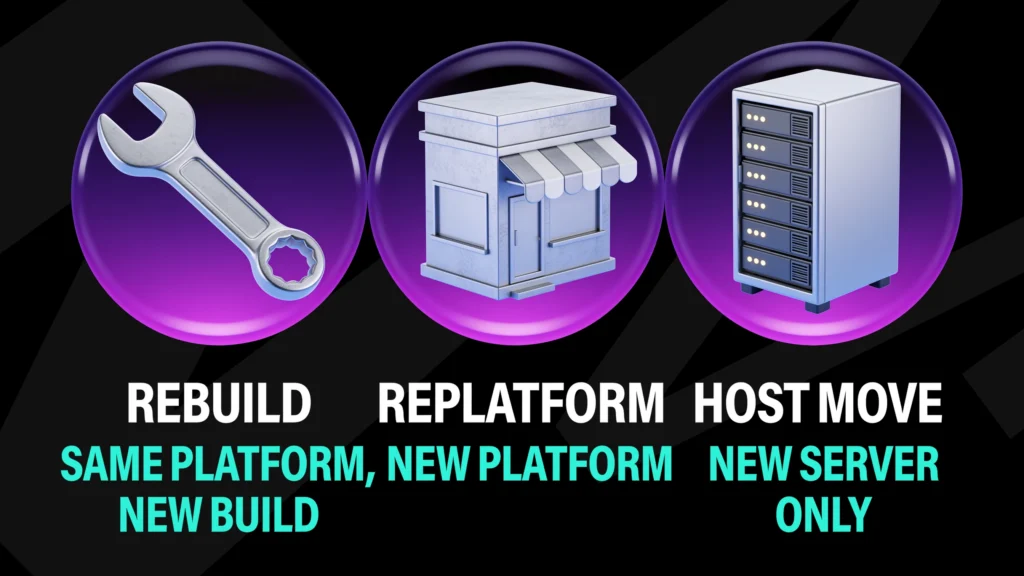
Moving between hosts is the simplest of the three, and our guide to managed WooCommerce hosting covers it: when to do it, the eight things that travel badly between servers and what to check on the first day. This article is about the harder two.
If you are weighing a change of platform rather than a rebuild, what you own on each platform decides what can move at all. On WooCommerce you own the database, so customers, orders and passwords are yours to carry. On a hosted platform you own your data but not the system around it, so a move out is an export, not a transfer.
Can customers keep their passwords after a rebuild?
Yes, when the store stays on WooCommerce. WordPress stores each password as a one-way hash in the users table, and the hash moves with the account. On the Rusboy rebuild every account was exported from the old store and imported into the new one, and customers logged in with the password they already had.
The new store also had stricter password rules than the old one. Those applied only to new sign-ups. An existing customer was not asked to change anything, which is the difference between a rebuild customers notice and one they do not.
Older stores sometimes worry that their password hashes are out of date. They still work. WordPress moved to a stronger hashing method in version 6.8, and passwords saved under the old method keep working after the move: WordPress checks the old hash, lets the customer in, and rehashes the password with the new method the next time they log in or change it. A rebuild on a current WordPress inherits that behaviour without any work.
What happens to passwords when you move from a hosted platform?
They do not come with you. A hosted platform keeps its password store, so a store moving to WooCommerce imports customers as accounts without passwords and each customer sets a new one. That is platform behaviour rather than something we have run ourselves, and the practical answer is the same on every platform we have looked at: plan the password reset as part of the launch. Send it as a launch email with a reason, time it for a quiet day, and expect a week of “I cannot log in” messages if you do not.
What should be built and tested before any customer data moves?
The whole store, on a test copy, with the catalogue in place and real orders placed through the checkout, before a single customer account is imported. On the Rusboy rebuild that was a three-week build, then about two weeks of testing with orders of 500 to 2,600 units in a single basket, then the products, and only then the accounts.
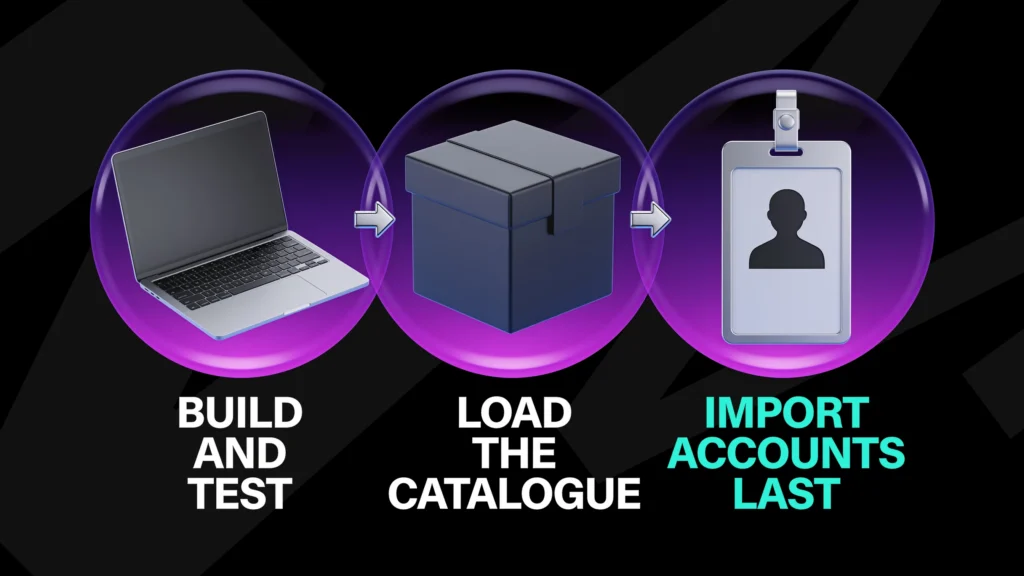
The sequence we use on every rebuild:
- Build on a test copy. The new store is built on its own address, with the live store untouched and still trading.
- Test with real basket sizes. Single orders at the largest size the store actually sells, not a one-item test. A load test that goes through the checkout on the test copy, if the store sells in bursts.
- Load the catalogue. Products, variations, images and stock, checked against the live store. Load in batches. On one store an upload of more than 15,000 records at once crashed, and batches of 5,000 or fewer went through.
- Review on the test copy. When Nera Marketing rebuilt one high-volume store, its existing logo, colours and typography were kept exactly, and the owner reviewed the finished store on a test copy before anything went live.
- Import the accounts and orders last. A fresh export from the live store, taken as close to the switch as possible.
- Switch. The domain moves to the new store, covered in the next section.
Steps 1 to 4 can take as long as they need. Step 5 cannot, because the gap between the export and the switch is the gap in the data.
Who has to approve moving customer data?
The store’s owner, in writing, before any customer or order data changes hands. That is our rule whether the data is moving to a new store we built or to another agency entirely. When a store moved from us to another developer, we asked for written confirmation from the owners before transferring anything, because the site held customer data and we would not act on a third party’s word.
The same rule protects the owner in the other direction. A store on WooCommerce can always be rebuilt or moved, because the files, the database and the domain belong to the owner, which is what you keep if you leave any agency, including us. WooCommerce development that ends in a store the owner holds the keys to is the reason a rebuild is possible at all.
Does rebuilding a store affect SEO?
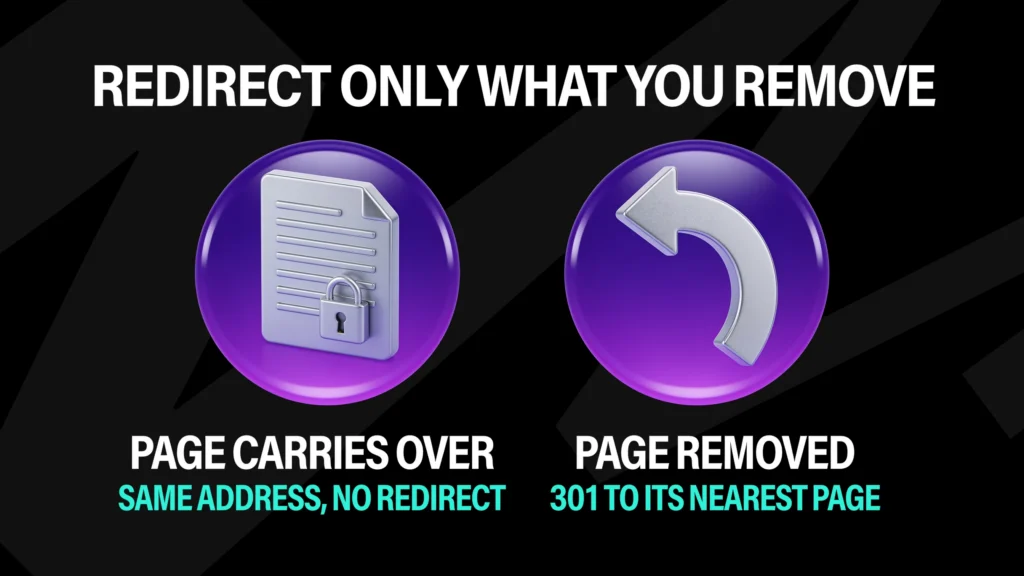
Only when web addresses change without redirects, or when internal links keep pointing at addresses that no longer exist. Keep every address that has a page on the new store, redirect only the pages being removed, and expect rankings to wobble for two to three weeks before settling.
Google’s own guidance is that permanent redirects do not lose PageRank and that a medium-sized site can take a few weeks or more before the new addresses show in place of the old ones. The wobble is Google recrawling, not a penalty, and it is shorter when there is less to recrawl.
On a site relaunch Nera Marketing managed, the rule was that every page carrying over kept its slug, and only the pages with no equivalent were redirected. On launch day that meant six old archive addresses redirected by pattern rather than one at a time, and seven internal links in four articles that still pointed at old addresses were found and fixed the same day. Nothing else needed a redirect. Nera Marketing plans product URLs, schema and redirects before launch, so a new WooCommerce store starts life ready for Google and AI search.
| Row in the redirect map | What goes in it | Why |
|---|---|---|
| Every old address | The full list, from the old sitemap plus a crawl | The crawl finds addresses the sitemap forgot |
| New address, or “removed” | One per row. Same slug wherever the page carries over | A changed slug on a page that still exists is a redirect you did not need |
| Redirect type | 301 for anything removed or merged | Permanent moves keep the ranking signals |
| Pattern or single | Patterns for archives, tags and dates; single rows for pages | Six archive addresses became one rule |
| Internal links that point at it | Every page linking to the old address | Links fixed at source do not depend on the redirect |
| Checked on launch day | 200 or 301 on every row | A 404 on launch day is a ranking you are about to lose |
How long do rankings take to settle?
About four weeks, on the relaunch we managed. Average position across the site slipped from 8.8 in the week before launch to 9.6 in the second week, then recovered to 8.1 by the fourth. Clicks did not fall at all: 517 in the four weeks after launch against 405 in the four weeks before. That is the shape to expect when addresses are kept and redirects are in place on day one, and the shape to worry about is a position that is still falling at week four.
When should the switch to the new store happen?
On the quietest night in the store’s sales calendar, and never during a live sale. Before a store we host moves, we ask the owner for any dates when they expect high traffic in the next few days, warn them the store will be in maintenance mode for about an hour, and start in the evening.
On the last move of that kind the store was back online, with everything checked, by ten past ten the next morning. The owner had told us there was nothing big in the next two days, which is the whole reason the question gets asked.
A rebuild switch has one more constraint than a host move. The final export of customers and orders has to be taken after the last order on the old store and before the first on the new one, so the old store stops taking orders for the length of the switch. An hour in maintenance mode on a quiet night costs almost nothing. The same hour at the end of a timed sale costs the sale.
Should the domain move first or last?
Last. The new store is built and tested on its own address, the domain and DNS stay exactly where they are until everything on the new store has been checked, and only then does the domain switch. When a store moved away from us, that was the staged plan the incoming agency proposed and we agreed to: test on the new server first, leave the domain in place, then switch. On Nera Cloud the new store sits on its own server from the first day of the build, so the switch is a DNS change and nothing else moves on the night. Sometimes the domain is the hard part. When an established store with 11,059 customers and about 800 orders a month moved to a new build, its domain sat in an account held by a former agency that had gone into liquidation. Nera Marketing moved it account to account and rebuilt the DNS before the switch.
What should you check in the first week after the switch?
Order emails, payments, logins, redirects and tracking, in that order, because that is the order in which a fault costs the most and shows the least. A store that has stopped sending order emails looks, to its owner, like a store that has stopped selling.
- Order emails. Place a real order and check that the customer’s confirmation and the store’s notification both arrive. After one server move a store owner reported “not had a single sale” when every order was there; the confirmation emails had stopped.
- Payments. A real card payment, a refund, and any wallet or saved-card method the store offers, each on the live store.
- Logins. A long-standing customer account, a recent one, and the account recovery email.
- Redirects. The whole old address list, crawled, expecting 200 or 301 on every row and a 404 on none.
- Tracking. The analytics and advertising tags fire on the new store, the purchase event reaches them, and the figures for the first full day match the orders in the admin.
- Scheduled jobs and integrations. The jobs log shows jobs running, and each connected system received the test order.
The team that rebuilt the store should run every one of these before telling the owner it is done. Nera Marketing runs them on the night of the switch and again the next morning on every WooCommerce development project, because a fault that appears overnight, under real customers, is the one that matters.
Planning a WooCommerce build?
We design and build WooCommerce stores that turn more visitors into customers.
See WooCommerce development →