

TLDR
You own a WooCommerce store an agency builds only when a signed contract assigns the rights to you, because UK copyright starts with the developer. On stores Nera Marketing builds, the client owns the site, the custom code and its history, the data, the domain and the accounts, and the theme comes on a permanent, free licence.
You own a WooCommerce store an agency builds for you only when a written contract hands the rights to you. Under UK copyright law the person who writes the code owns it first, and a transfer counts only when it is written down and signed. On a WooCommerce store Nera Marketing builds, the rights pass to the client once the build is paid for, with a permanent, free licence for the theme the store runs on. This guide maps every part of a store, from the code to the ad accounts, says who should hold each one, and lists what to check before you sign.
Who owns a WooCommerce store an agency builds for you?
The agency does, until a written agreement assigns the rights to you, and on a Nera Marketing build that assignment takes effect once the build is paid for. Section 11 of the Copyright, Designs and Patents Act 1988 makes the author of a work the first owner of its copyright, and section 90 of the same Act says an assignment of copyright is not effective unless it is in writing and signed by the person giving it up. Paying the invoice does not move the copyright on its own.
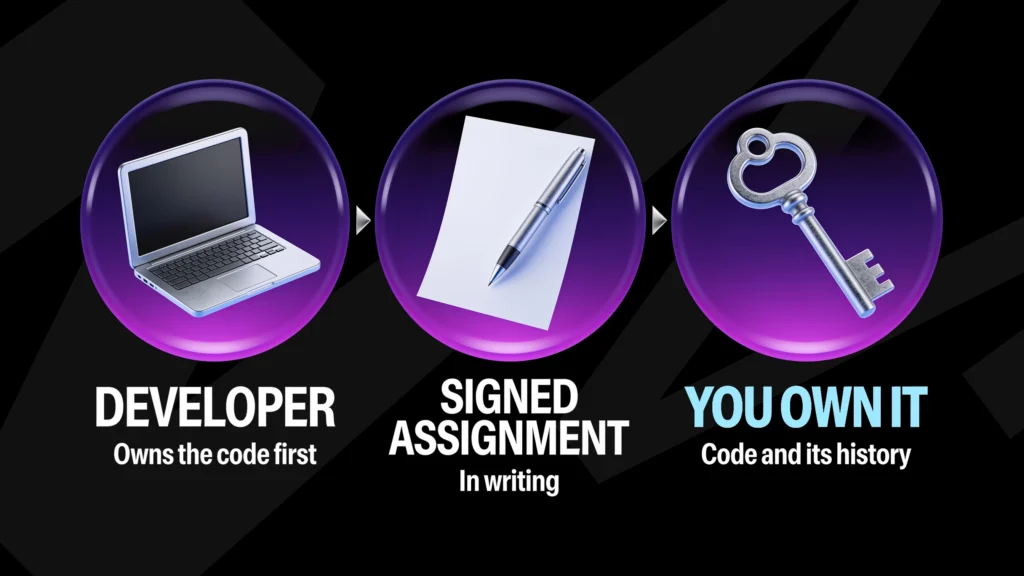
The Intellectual Property Office says the same to anyone commissioning a website: put a contract in place before the work starts that moves the copyright to your business on completion.
A store is more than its code, so ownership has to be checked part by part. This is who should hold each one.
| Part of the store | Who should own it | How to check |
|---|---|---|
| Custom code and its change history | You, by written assignment | The intellectual property clause in the contract, and a copy of the code repository |
| Theme | You, or you under a permanent licence | The licence wording: does it expire, can it be withdrawn, can any developer work on it |
| Paid plugins and extensions | Their authors own the code; the licence keys sit in your account | The account each licence key is registered to |
| Customer and order data | You, as the data controller | The data protection clause in the contract |
| Domain name | You, at a registrar account in your name | A WHOIS lookup shows the registrant |
| Hosting account | You, or a plan you can cancel and leave with a full export | The notice period and the export terms |
| Email platform | You | The account owner on the platform |
| Ad, analytics and payment accounts | You, with the agency added as a user or partner | The users and partners screen in each account |
Where any row sits in someone else’s name, the store cannot move without their help.
Do you own the code, the theme and custom plugins?
You should own the custom code and its full history outright, and the theme either outright or under a licence that can never be taken back. These are the parts most contracts leave vague, and the parts that decide whether another developer can take over.
What does owning the code give you?
Owning the code means you can copy it, change it, move it to any host and hire anyone to work on it. When a client leaves Nera Marketing, they take the site, the custom code and its full history, the record of every change made to it. That history matters: a new developer can see why each change was made rather than guessing. The plugin development guide covers who owns the code when you leave in more detail, including how custom plugins are kept separate from the theme.
What should a theme licence say?
A theme licence should be permanent, free after the build, impossible to withdraw, and open to any developer and any host. Many agencies run their stores on a theme of their own, built and maintained across their client work, and license it to each client rather than transfer it.
Nera Marketing’s terms work that way. The store runs on the agency’s own theme, licensed to the client under clauses 9.9 to 9.13. The licence does not expire, cannot be withdrawn, and carries no fee beyond what was paid for the build. The client can change the theme, extend it, host it anywhere and put any developer to work on it. If the business is sold, the licence passes to the new owner on the same terms, with no permission needed (clause 9.12).
Check four things in any theme licence: whether it ends, whether the agency can withdraw it, whether it costs anything later, and whether it survives a sale of the business.
Plugins and licences: what the GPL gives you and what a licence key gives you
The GPL gives you the right to use and change a plugin’s code. A licence key gives you updates and support, and it belongs to whoever bought it. WordPress.org’s licence page says plugins and themes are derivative work of WordPress and inherit its GPL licence, so the code on your server is yours to run and modify. The key that unlocks updates is a separate, paid subscription.
Whose name should the licences be in?
Yours, from the day each one is bought. WooCommerce.com’s own guidance for agencies sets out three ways to handle client subscriptions: the client buys directly, the agency buys and transfers at handover, or the agency buys and keeps ownership. Only the first two leave the client holding the licence.
Nera Marketing sets licences up in the client’s name from day one. Where a premium licence is held for the store for any reason, it moves into the client’s name when they leave, with no licence fee and no revenue share. The terms also rule out any plugin whose licence would limit the client’s ownership of the rest of the site, and the client is told what has been used (clause 9.5).
Most paid extensions renew every year. These are the list prices WooCommerce.com showed UK visitors on 21 November 2026.
| WooCommerce.com extension | What it does | Price per year |
|---|---|---|
| WooCommerce Bookings | Bookable time slots and appointments | £188 |
| WooCommerce Subscriptions | Recurring payments and memberships | £211 |
| Table Rate Shipping | Shipping rates by weight, items or destination | £90 |
| Product Bundles | Products sold together as one item | £60 |
| Product Add-Ons | Extra paid options on a product | £60 |
These renewals sit alongside hosting and the domain in what a WooCommerce store costs to run each year.
What happens when a licence lapses?
The plugin keeps running, but its updates and support stop. WooCommerce.com’s subscription documentation says an expired extension stays installed and no longer receives updates, including compatibility updates for new versions of WordPress and WooCommerce.
On Freedom Fields, a store that sells bookable time slots, the booking extension’s licence lapsed. The extension kept working, but its updates, compatibility fixes and support stopped. On a property website, a feed integration stopped syncing, and its licence key was found not to have been renewed. After the renewal, at about £20 a month, the sync was confirmed running hourly.
A lapsed key is cheap to fix. A key held in a former agency’s account is not, because only that account can renew or transfer it.
Who owns the customer and order data?
You do. Under UK data protection law the business that decides why and how customer data is used is the controller, and an agency or host handling it on that business’s behalf is the processor. The ICO’s guidance on controllers and processors sets out the difference.
The contract should say so in writing. In Nera Marketing’s terms, the client is the controller and the agency the processor (clause 15.1), the client keeps its content, brand, data and domain with nothing claimed over any of it (clause 9.4), and the data is returned or deleted when the agreement ends (clause 15.4).
In practice, customer accounts, orders, refunds and products all live in one database, so they move together. On a handover, customer and order data moves only on the store owner’s written confirmation, never on a third party’s word.
Your domain, hosting and email should sit in your name
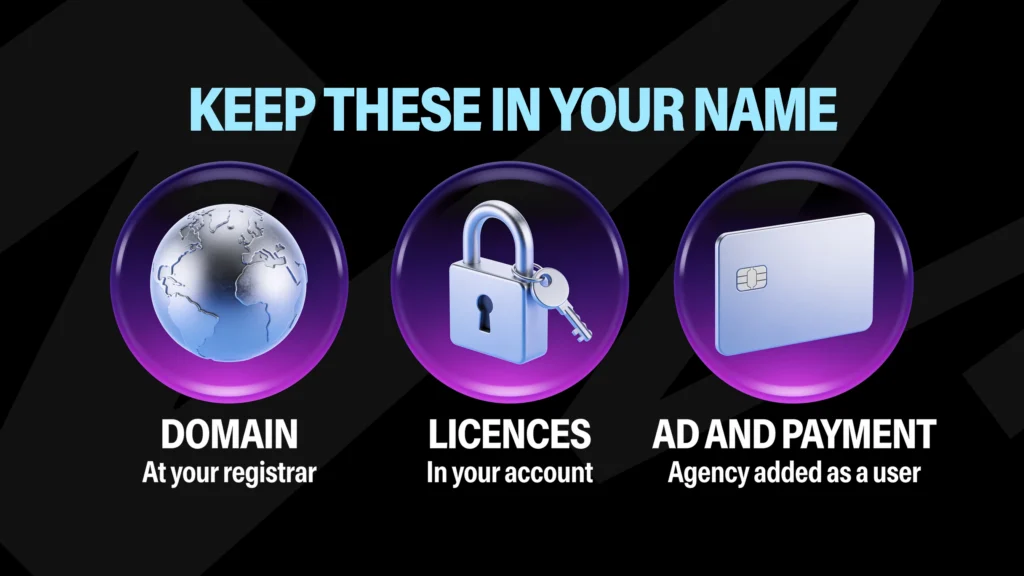
Register the domain in your own name at your own registrar, and hold the hosting and email accounts yourself, so nobody else’s account sits between you and your store. A domain costs about £10 to £15 a year. It is the cheapest part of the store and the one that decides where every customer lands.
Domain
The domain should stay at your registrar, with the agency adding records on your behalf. Nera Marketing keeps client domains that way: the developer is given delegate access or adds the records, and the domain is never transferred to the agency. One store owner gave delegate access to their own domain, and no login details were ever asked for.
For domains such as .com, ICANN’s rules say your registrar must provide the transfer code within five calendar days of your request. A .uk domain moves differently, by changing its registrar tag at Nominet rather than with a code, so ask your registrar which route applies.
A domain can also be held back by a setting left behind. A UK toiletries store had moved hosts, but its domain still pointed at the former host’s nameservers, so the correct records waiting at its registrar were never read. Pointing the nameservers back to the registrar fixed it. Check which nameservers your domain uses whenever the store changes host.
Hosting
You should be able to cancel hosting on notice and leave with everything. Hosting with Nera Cloud is optional, and the store can sit on any host. It runs month to month with no minimum term and 30 days’ written notice to leave (clauses 11.3 and 11.9). If a hosting price rises, the client can leave before it applies at no charge, and if the hosting service ever closed, clients would get 90 days’ written notice to move (clauses 11.8 and 11.12).
The email platform should be set up in your account, so the list and its data stay with the store whatever happens to the agency relationship. DNS records for email, such as DKIM and sending records, are part of the handover rather than an extra.
Ad and payment accounts stay in your name
Ad accounts and payment gateway accounts should be opened by the business, with the agency added as a partner or team member. The account holds the payment method, the campaign history, the payouts and the dispute record, and none of that can be moved to a new account later.
When Nera Marketing runs a client’s ads, the Meta ad account is set up in the client’s name, with the agency added as a business partner, so the client keeps the account, the payment method and the campaign history if they change agency (clause 12.5). On payments, one store owner created the Stripe account themselves and added the developer as a team member. The developer can configure the gateway, and the owner can remove that access in one step.
What happens when you leave an agency or a host?
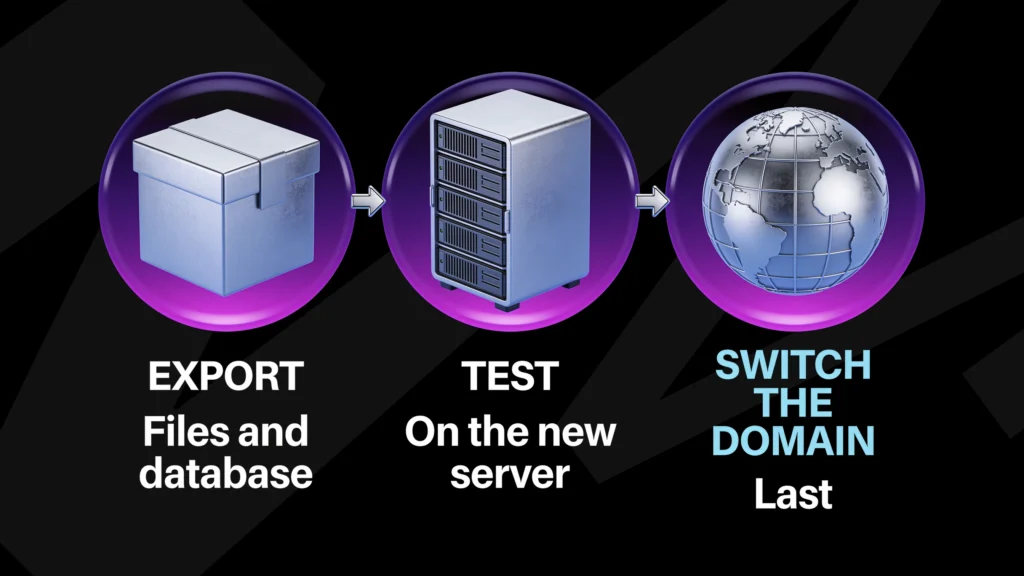
With the right contract, you take a complete copy of the store, and on a Nera Marketing build that export is free and the move runs in an order that keeps the store trading. Under the same terms, a client moving to another provider takes everything: a full export of the site, database and files at no charge, with the new provider leading the move and its questions answered free (clauses 11.17 and 11.18).
The handover pack holds the site files, the full database and the DNS records, plus a note for the incoming team on what tends to break a move. The new store is tested on its new server first, while the domain and DNS stay where they are, and the domain switches last. The maintenance guide covers what you keep if you leave a maintenance plan, and the hosting guide lists what a host should hand over.
Missed payments do not lose the store either. The terms give 30 days to settle an unpaid hosting invoice, then keep the data for a further 30 days after any suspension so a full export can be taken, with written warnings at each step (clauses 11.13 to 11.15).
Rankings move with the store when every address keeps its page or redirects to its nearest match, which is covered in keeping customers, orders and rankings through a move. Nera Marketing builds WooCommerce stores that Google and AI assistants can read, trust and point customers to.
Can you sell a WooCommerce store with the business?
Yes, when every part of it is in the business’s name. One WooCommerce store was sold to new owners with its site included, and the site changed hands as part of the business. The theme licence passes to the buyer under clause 9.12, and WooCommerce.com lets an extension subscription be transferred to the new owner’s account, moving both ownership and billing.
Before a sale, list every account the store depends on and confirm each one is in the business’s name rather than a person’s or an agency’s.
Locked out of a previous agency’s build: what to check first
Start with the domain, because whoever controls it controls where your customers land. One business came to Nera Marketing locked out of everything on a build a previous agency had made, and had not realised it did not own the store until it tried to leave.
Work through these in order:
- Domain. Run a WHOIS lookup. If the registrant is the agency, ask for the domain to be moved into your name at a registrar you control.
- Hosting. Find out whose account the server sits in, and ask for a full export of the site, database and files.
- Administrator access. Ask for an administrator account in your own name on the store, separate from the agency’s.
- Licences. List every paid plugin and the account its key sits in. Ask for each subscription to be transferred to your account.
- Payment and ad accounts. Check the owner on the payment gateway, Meta, Google Ads and analytics. Remove agency users you no longer work with.
- The contract. Look for a signed assignment of copyright. Without one, the agency still owns the code, and a solicitor is the right next call.
What to check in a website contract before a build
Check six clauses before you sign: code ownership, the theme licence, plugin licences, your data, leaving hosting and missed payments. The right column shows how Nera Marketing’s terms of service answer each one, so you have a worked example to compare against.
| Clause | What to look for | The worked example (clause) |
|---|---|---|
| Code ownership | All rights pass to you on payment, in writing | All intellectual property passes on payment in full; the theme is licensed (9.1, 9.2) |
| Theme licence | Permanent, free, cannot be withdrawn, any developer, survives a sale | Permanent, no further fee, cannot be withdrawn, passes with the business (9.10, 9.12) |
| Plugin licences | Disclosed, in your name, nothing that limits your ownership | Plugins disclosed; none whose licence limits ownership (9.5) |
| Your content and data | You keep content, brand, data and domain; data returned or deleted at the end | Client is controller, agency is processor; data returned or deleted (9.4, 15.1, 15.4) |
| Leaving hosting | Short notice, free full export, no minimum term | No minimum term; 30 days’ notice; free export of site, database and files (11.3, 11.9, 11.17) |
| Missed payments | Warnings and time to export before anything is deleted | 30 days to pay, then 30 days after suspension to export (11.13 to 11.15) |
The same terms sit behind every WooCommerce development project. Whoever builds your store, ask for these six answers in writing before the deposit, because a clause is far easier to agree before the work starts than after it ends.
Planning a WooCommerce build?
We design and build WooCommerce stores that turn more visitors into customers.
See WooCommerce development →