


TLDR
Shopify suits a UK store selling standard products through a standard checkout. Nera Marketing had a working paid checkout 10 days after opening an account. WooCommerce suits stores with restricted payment categories, custom checkout steps or a need to own the code. Shopify charges up to 2% on sales taken through other payment providers.
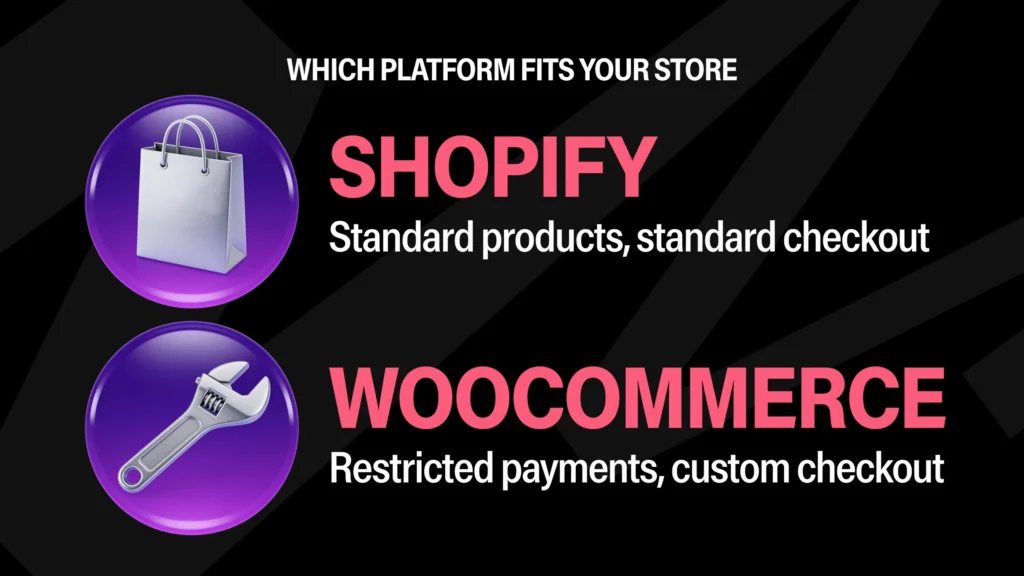
Shopify suits a UK store that sells standard products through a standard checkout and wants to be trading in days. WooCommerce suits a store whose payments, checkout or traffic do not fit a standard mould. Nera Marketing has built on both. Our own brand had a working Shopify checkout 10 days after we opened the account, and a client’s WooCommerce store took orders on launch day before any card provider had approved it.
That second store could not have opened on a hosted checkout. The first one had no reason to leave it. Most comparisons pick a winner. We pick per store, and this is how we decide.
| Your store | Our pick | Why |
|---|---|---|
| Standard products, card payments, no custom checkout logic | Shopify | Live in days, nothing to host or patch |
| A product category payment providers treat as restricted | WooCommerce | You can connect whichever provider approves you, with no platform surcharge |
| Pricing, ordering or checkout steps that are specific to you | WooCommerce | The checkout is yours to change |
| Sharp traffic spikes from live streams, drops or texts to a big list | Either, with conditions | Shopify absorbs it for you. WooCommerce holds if it is built and hosted for it |
| You want to own the code, the data and the hosting account | WooCommerce | Everything can be handed over and moved |
| No developer and no wish to hire one | Shopify | Updates, security and hosting are handled |
Everything here comes from a store we built for ourselves, and from WooCommerce stores Nera Marketing builds and hosts: high-volume stores that sell out timed releases in minutes, where every visitor hits the same product and the same checkout at the same time. It is the reason WooCommerce development is most of what we do, and the reason we still use Shopify when it fits.
When is Shopify the right choice?
Shopify is the right choice when the store needs nothing a standard checkout does not already do. Our own direct-to-consumer brand, Mist Hydration, is the example. We opened its Shopify account on 24 June 2025 and put the first paid order through the checkout on 4 July 2025, a test order of our own. Ten days, on a paid theme, with Shopify’s own payments.
There was no server to choose, no plugin stack to assemble and no security updates to schedule. We bought the theme from the Shopify Theme Store on 25 June for a one-off $400, connected the bank account for payouts, and built the pages. Three more of our own followed on 24 and 25 July.
We also market a client’s Shopify store and work inside its admin. The pattern is the same. The platform stays out of the way, and the time goes on products, ads and email.
If your catalogue is conventional, your payments are ordinary card payments and nobody on your team wants to think about hosting, Shopify gets you trading sooner than anything we could build. We would tell a client that before taking on a WooCommerce build.
What does each platform cost over twelve months?
On Shopify’s Grow plan a store pays £780 a year for the platform, with hosting included. WooCommerce software is free, and hosting for an e-commerce store runs from about £19 to £49 a month upwards, depending on its size and traffic. Shopify also adds a 1% fee to every sale taken through another payment provider.
| Twelve-month running cost | Shopify (Grow) | WooCommerce |
|---|---|---|
| Platform or software | £780 (£65 a month, billed monthly) | £0 |
| Hosting | Included | About £228 to £588 (£19 to £49 a month), more for a high-traffic store |
| Theme | $400 one-off for a paid theme | Part of the build |
| Card fees with the platform’s own payments | 1.7% plus 25p per order | Not applicable |
| Fee for using another payment provider | 1% of every sale, on top of that provider’s own fees | None. You pay the provider’s fees only |
| That fee at £250,000 of turnover | £2,500 a year | £0 |
How much does Shopify’s payment fee add?
On the Grow plan it adds £2,500 a year at £250,000 of turnover, if you use a payment provider other than Shopify’s own. On Basic the fee is 2%, so the same turnover costs £5,000.
Shopify’s figures are its published UK prices, read on 3 October 2026. Basic is £25 a month with a 2% third-party fee, Advanced is £344 a month with 0.6%. The £65 figure matches the monthly bill on the client store we market. WooCommerce hosting is priced by what the store needs, so treat the range as a guide and get a figure for your own traffic.
Is WooCommerce still free?
Yes. The WooCommerce software costs £0 and always has. What you pay for is everything around it: hosting, from about £19 a month for a small store, any paid extensions, and the people who build and maintain the store. Shopify bundles those into its monthly price. WooCommerce leaves each one for you to choose.
Two things are left out of the table on purpose. The build is excluded on both sides, because a ten-day theme setup and a custom build are different purchases. Apps and plugins are excluded because they vary by store. Add your own before you compare.
Can your payment provider decide the platform for you?
Yes. If a payment provider will not approve what you sell, the platform choice is made before you compare features. Shopify Payments follows its processors’ lists of restricted businesses. Use any other provider on Shopify and you pay up to 2% of every sale for doing so. On WooCommerce you connect whichever provider approves you.
Shopify’s terms point to its payment processor list, and for the UK that leads to Stripe’s prohibited and restricted businesses. That list restricts prescription-only products and pharmaceuticals, and prohibits incorrectly labelled research chemicals. Other categories sit on it too. Check it against your own products before you choose anything.
We met this on a real build. Hello Peptides sells research peptides for laboratory use, a category that sits close to those restricted lists. The brand was ready to sell before any card provider was in place.
In a category like that you take the provider that approves you, on its terms, and you may run two side by side. On Shopify that choice costs 2% of every sale on Basic, 1% on Grow and 0.6% on Advanced. At £250,000 of turnover on Grow, that is £2,500 a year for using a provider Shopify did not supply. Your store has to connect to whichever one says yes, and keep selling while approval is pending. On WooCommerce a payment gateway is a plugin. You can add one, swap one or run two together, and the platform takes no fee for it. The same applies when a second market needs its own payment account, which is why selling into Ireland can mean a second store rather than a currency switcher.
Where does Shopify’s checkout stop?
Shopify’s checkout stops at the steps that take the customer’s details, delivery and payment. Apps that change those pages are available on Shopify Plus only, which starts at £1,800 a month. On every other plan you can customise the thank you and order status pages. On WooCommerce the whole checkout is yours.
That limit is Shopify’s own documentation, and for most stores it never matters. It mattered for Hello Peptides. The brand was ready to sell before any card provider was in place, and waiting meant weeks with a finished store that could not take an order.
So Nera Marketing replaced the payment step. The customer fills the bag as normal, confirms they are over 18 and buying for research use, and taps one button. WhatsApp opens with the order already written out, itemised and priced. When a card provider is live, one setting switches the store back to card checkout. Nothing is rebuilt.
The same store prices by quantity on the product page: 8% off for two vials and 13% off for three or more, shown as selectable cards, with the price following the order into the bag. Another store we built, Alulux, lets customers configure and buy made-to-order bifold doors online with the price shown as they choose. None of this is exotic. It is the ordinary work of our WooCommerce build team, and each piece sits in a part of the checkout a hosted platform keeps for itself.
What happens when traffic spikes on each platform?
On Shopify a spike is Shopify’s problem, and that is a real advantage. On WooCommerce it is yours, and the server is rarely what fails. One store went from 2,000 to 55,000 requests a minute after a text to 13,500 subscribers. Four containers and 400 PHP workers did not fix it. Rewriting one query did.
Why does more server capacity not fix a slow store?
Because the server was never the bottleneck. That query took 8 seconds. It was a bug in a third-party plugin, on a store we were managing on behalf of the client. We found it and rewrote it to run in 1 second, and the orders came through. More hardware had made no difference at all.
Can one plugin take a whole store down?
Yes, and it took roughly four hours to clear. It happened on 1 October 2026. A store Nera Marketing hosts went down during a live promotion. Two things had combined: a single serial number stuck in a third-party plugin, and an email marketing plugin adding background work to every order until the task queue backed up. We cleared the first and paused the second, and pages were loading in under half a second that morning. No customer data was lost.
This is the honest cost of WooCommerce. Every plugin you add runs on your checkout, and somebody has to know which one is slowing it down. It is the job Nera Cloud, our managed hosting, exists to do. We have written up what breaks first when a WooCommerce store gets busy, in order. If you would have nobody to call at 6am, Shopify is the safer platform.
What do you own when you leave?
On WooCommerce you own the code, the database, the hosting account and the domain, and all of it can move. When one client asked Nera Marketing for their domain, the transfer code went out 18 minutes later. On Shopify you own your data and your domain, and the store itself stays on Shopify.
| What you hold | Shopify | WooCommerce |
|---|---|---|
| Domain | Yours | Yours |
| Product, customer and order data | Yours, by export | Yours, as the full database |
| Theme and store code | A theme that only runs on Shopify | Yours, and it runs on any host |
| Checkout | Shopify’s | Yours |
| Hosting | Shopify’s | Any host you choose |
| What moving to a new agency involves | Handing over admin access | Handing over files, database and DNS |
Moving agency on Shopify is simple, because the store never moves. Moving platform is a rebuild. On WooCommerce both are a handover. We have done three in the last year where a client took everything with them: site files, database, DNS records and the domain. A host move takes about one hour of downtime overnight, and up to six hours for DNS to settle. In one handover, we held the transfer until the owners confirmed it in writing, because the store holds customer data.
We apply the same rule beyond the site. Clients create their own app store and email accounts in their company’s name and add us as an admin, so the listings, the reviews and the mailing list belong to them.
When is WooCommerce the wrong choice?
WooCommerce is the wrong choice when nobody will maintain it, when a standard checkout already does everything you need, or when the system is really a custom application. We have heard that last objection from an engineer and from a client. In 2026, one store owner left us believing the platform itself was the problem.
The engineer was a prospect’s technical adviser who had built payment platforms for a bank. On a call in August 2026 he said: “WordPress gets hacked a hell of a lot.” For his project, with payment integrations across several countries, he said he would use a traditional backend server. We agreed with him. That project belongs on a custom stack, and our own enterprise builds run on Next.js, Postgres and Redis.
The client is a harder case to write about. Their store had faults we worked through over several months, and they concluded WordPress was the cause. We do not think the platform was the whole story. We also cannot prove it was none of it. They moved, and we transferred their customer data and domain to the new platform at no charge.
What are the disadvantages of WooCommerce?
You are responsible for it. There are three real costs: hosting is a decision you have to make, every plugin is code running on your checkout, and updates need testing before they go live. The four-hour outage above came from two plugins, on a store with a team watching it.
So the question we ask is who looks after the store on an ordinary Tuesday. If the answer is nobody, choose Shopify. If the answer is a team that knows your checkout, WooCommerce will do things Shopify will not let you do.
Ready to build your competition website?
Join hundreds of operators running prize draws with NERA's platform.
Talk to us →